
At the time when my personal blog configuration was quite finished, I was looking at Jekyll’s syntax highlighter rouge, which uses monokai theme by default:
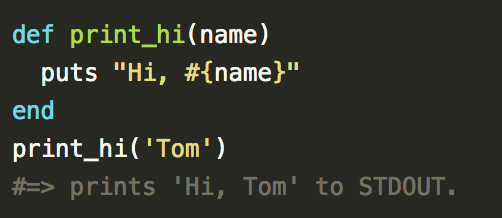
The monokai theme looks pretty much ok, but I got used to another amazing theme - Obsidian. I tried to find this theme on the Internet, and there was no “ready-to-use” Obsidian theme for rouge.
After some research, I’ve got that rouge and pygments highlighters are quite the same and I can use pygments themes with rouge highlighter.
Than I’ve found Son of Obsidian pygments theme, which looks quite the same as Obsidian.
Having the Son of Obsidian theme I was able to adapt it and replace default monokai theme with it.
How to use “Son of Obsidian” theme in jekyll
-
Install
rougehighlighter, if it’s not installed already:gem install rouge -
Then, in your
_config.yml, set Rouge as your syntax highlighter:highlighter: rouge -
Install
pip(the tool for installingPythonpackages):sudo easy_install pip -
Install
pygmentspip install pygments - Clone
Son of Obsidianrepository and navigate to the cloned project root folder. -
Open
rootshell (setup didn’t work for me as a regular user).sudo su -
Install plugin from
rootsetup.py install -
Export theme in
cssfilepygmentize -S sonofobsidian -f html > son-of-obsidian.css - Copy
son-of-obsidian.cssfile to${your-blog-root-directory}/css/son-of-obsidian.css -
Open
${your-blog-root-directory}/css/main.cssfile and replace defaultmonokai.csstheme import with our new theme/* default theme */ @import url(monokai.css); /* our new theme*/ @import url(son-of-obsidian.css); -
But that’s not all. Open
son-of-obsidian.cssin your favorite text editor, ideally with multi-line edit function. Add.highlightterm at the beginning of all lines..c { color: #99AA8A } /* Comment */ .err { color: #960050; background-color: #1e0010 } /* Error */ .k { color: #93C763 } /* Keyword */ .l { color: #ae81ff } /* Literal */.highlight .c { color: #99AA8A } /* Comment */ .highlight .err { color: #960050; background-color: #1e0010 } /* Error */ .highlight .k { color: #93C763 } /* Keyword */ .highlight .l { color: #ae81ff } /* Literal */ -
Finally, we need to modify background color in our theme, otherwise code snippets will use default grey color as a background and it’s definitely not what we need. Add following lines to
son-of-obsidian.css:pre.highlight, .highlight pre { background-color: #272822; } -
Configurations! Now we have an amazing dark
Son of Obsidiantheme fully configured! Source code ofson-of-obsidian.cssis available on github. That’s how will look basic Java “Hello World” sample:class HelloWorld { public static void main(String[] args) { System.out.println("Hello World!"); } }Looks amazing, isn’t it?!
Bonus
Here you can find other Jekyll pygments themes, which are compatible with rouge highlighter and are ready-to-use.
Even more, I’ve found another beautiful dark theme which is called darkly.
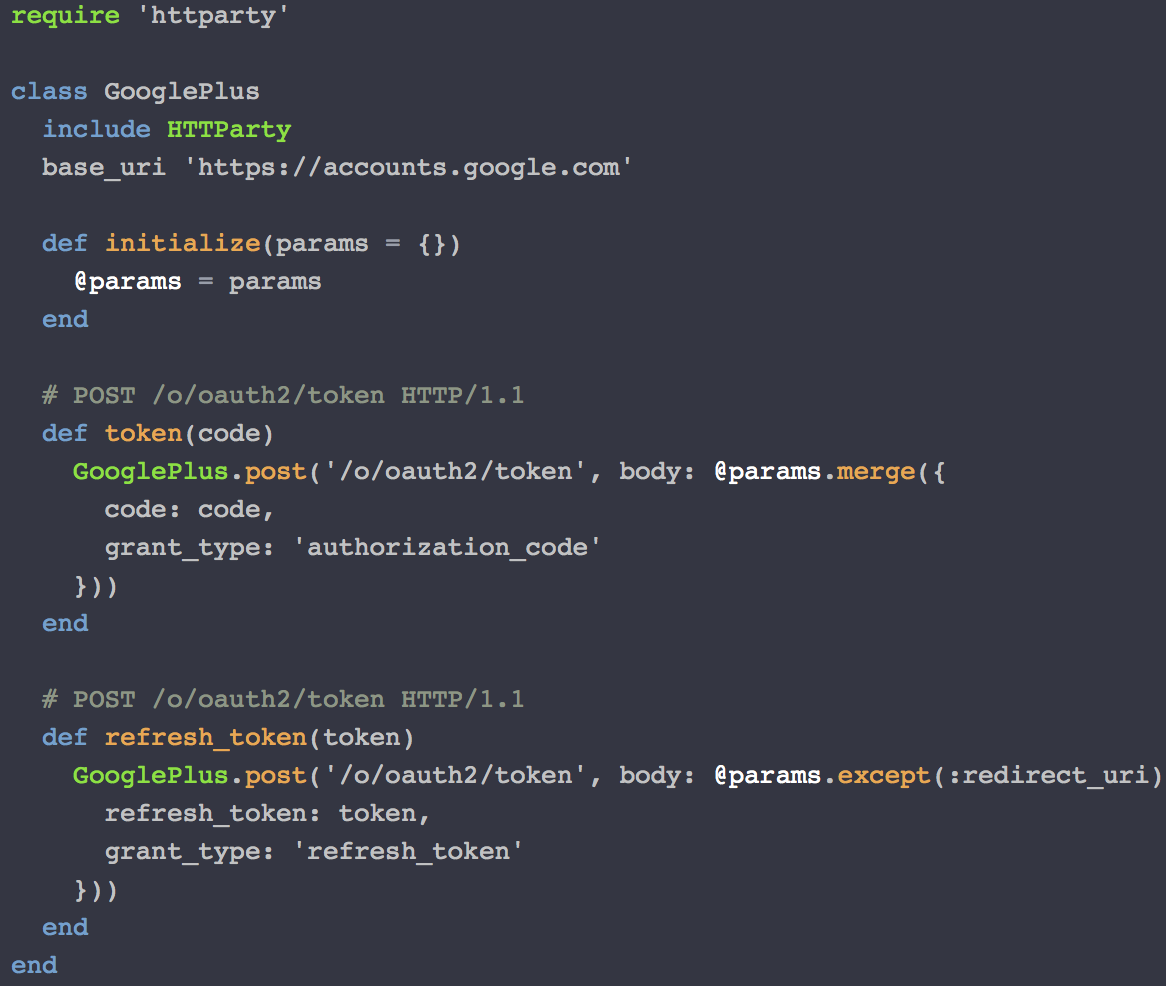
Happy code formatting 